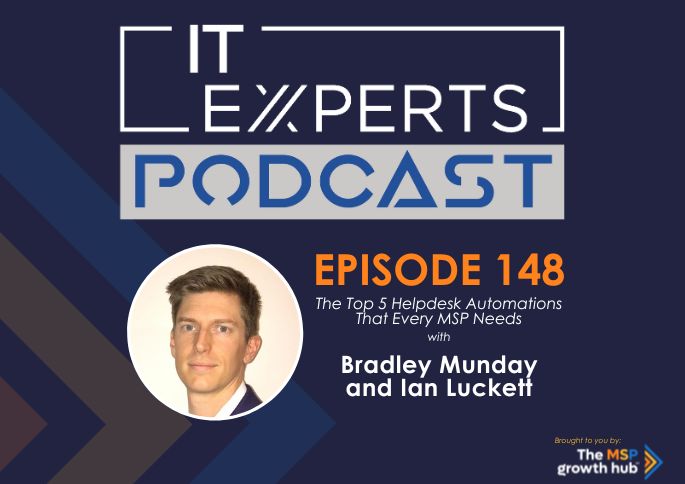
First and foremost, Escalations. A critical aspect of managing an incident is recognising its journey through the helpdesk. While automating the ticket escalation process is common, Bradley stresses the importance of ensuring your system automatically logs ‘who’ escalated ‘what’. This isn’t just about operational efficiency. It’s a treasure trove of information that pinpoints individual competencies and highlights areas requiring further training.
Up next is Tagging Tickets. With most PSA systems offering ticket tagging features, Bradley highlights the magic of automation here. By auto-searching for specific keywords or setting certain triggers, MSPs can effortlessly categorise incoming work. Beyond simply categorising tasks, this aids in recognising patterns, understanding the type of work being received, and crucially, spotting tickets that might have gone stale or need managerial intervention.
The third automation is something MSPs might overlook but is incredibly important – Chargeable Ticket Approval. What should you do when a ticket that ought to be chargeable lands on the desk? Bradley’s advice is straightforward – employ automation to ensure that work doesn’t commence on such tickets without generating a requisite charge.
Our conversation then moved towards enhancing customer relationships through Automated Customer Communication. Bradley believes in empowering technicians to concentrate on core tasks, while the PSA takes on the mantle of follow-ups. By automating communications for tickets awaiting customer inputs or approvals, the desk remains decluttered, ensuring technicians remain sharply focused.
Last but by no means least, Bradley talked about the significance of Automated Ticket Routing/assignment. Tapping into the potential of machine learning or AI, he envisions a future where MSPs can more accurately assign tickets to the right engineer or queue. Whether it’s leveraging ticket titles, descriptions or data accumulated from previous automations, the goal is clear: get the right job to the right professional.
Bradley’s insights weren’t just an exploration of the current best practices but also a gaze into the future. He envisages a shift in the MSP landscape. As clients increasingly embrace automation, they’ll naturally look to their MSPs for DevOps tasks. So, the time is ripe for MSPs to proactively embrace machine learning integrations.
As we wrapped up, it became clear that these automations aren’t just tools. They’re the backbone of an efficient, customer-centric, and forward-thinking MSP.
We hope you enjoyed this episode.
You can connect with Bradley Munday in his LinkedIn profile by clicking HERE
Connect with me on LinkedIn and see what I’m up to by clicking HERE
To join our amazing Facebook Group of over 300 MSPs where we are helping you Scale Up with Confidence, then click HERE
And if you’re ready to take the next step in supercharging your MSP, take the Scale with Confidence MSP Mastery Quiz. This will provide you with insights and guidance tailored to your specific needs.
Until next time, look after yourself and I’ll catch up with you soon!
INTRO
In this episode of the IT Experts Podcast, I talked with Bradley Munday from Uptime Solutions and we're going to help you to get automated in your help desk.
Welcome to IT experts podcast, the only podcast to help MSPs scale to 1 million. And if already there, get to five and go faster. At the end of the day, isn't it all about building a business that works for you rather than you for it? I hope you enjoy the show.
IAN
So, good morning, good afternoon, good evening, wherever you are. Welcome to the IT Experts podcast. Today we've been wheeling out the other double act of Optime Solutions. We've brought Bradley on the show today rather than Jason. And we're going to help you today to really expel some myths and help you connect and automate your helpdesk function in your MSP. So welcome to the show Bradley. How you doing today?
BRADLEY
Yeah, very well. Thank you. It's nice to be let out the closet, I guess like I say Jason usually does these kind of things, and I'm usually in the operations of the business and making it work. So I think it's quite well suited to the top.
IAN
Fantastic. Yeah. No, it is. It's great. And I remember, I remember as we were preparing for this call, Jason said. You can do that because you're more technical as it would be. So I thought, right, OK, we've got the measure of the mark now. So yeah, thanks very much for your time today and in preparing for the show too. So you know what we're doing here, what we're talking about today, the Help Desk function of the MSP is, you know, is the heart of the business essentially. You guys have got a fair, fair bit of experience in that haven't you do you want to just kick off by just explaining for people who don't know, kind of who you are, what you do and who you help.
BRADLEY
Yeah, for sure so my name is Bradley Munday and I sit in the MD role here at Uptime Solutions. So what we do as a business is really help MSPs overcome their resourcing issues or really just getting to more value creation with their customers, right? We look after help desk, that's what we do. It's all white labeled. It's channel only, so we pick up the phone as our MSP partners, we send emails as our MSP partners. And help them deliver in a world where finding tech talent is difficult. Many many MSP owners are also operators. They are the techs and so helping them to elevate themselves as well and pass on that stuff.
IAN
And you're international, aren't you?
BRADLEEY
We are indeed. Yeah. We are in the UK, we've got an office in the USA and New Zealand and those are purposely chosen so that we can really dial up the communication. I think help desk is one with the way you communicate with your customer. Quite often it's not the best tech that's getting the Raven reviews, it's the best communicators that are, so we've been very purposeful about where we put our teams so that we can make ourselves.
IAN
Lovely. You've got the globe covered, I think if anybody draws a map, I think you've pretty much got it covered for every eventuality. So you know we've known each other quite a while now and we know how much you help, you know, some of our partners as well as other people in the MSP, so we kept getting this question coming up. And we kept talking to some of our clients and they were telling us all these little stories about what automations have they got in their helped us? What do they need to do? Is it as a kind of a basic and as a non-technical person, I'm kind of sitting here going well, hang on guys. You've got all these systems, you've got your PSA in place, you've got all your remote monitoring tools and all the other bits and pieces surely do you not like, just know how this is all worked and the answer to that question is, sometimes not, isn't it. Because there's so much different types of tech that they're plugging in and there's so many different versions and solutions and other things like this, it can just be an absolute, you know, minefield can't it connected together. So I said, right, went out, was at CompTIA and I said I need to find someone who's going to help us. And just talk about, you know, what are the top five things that you know that MSPs need to have automated to make sure that they're not missing out to deliver that great customer experience to deliver that profitability and efficiency as well. So let's start off by just, you know, real basic question, why do we need to automate the help desk functions. What's the real benefit to the MSP?
BRADLEY
So I alluded it to it in my intro, there is finding and retaining good people is I think top of the list for many MSPs. And so automation functions can help reduce the amount of time that those people are on things, but also reduce frustrating repetitive tasks. I think that's a key one. It's if you're doing that all day long, you're not getting your job satisfaction. So it goes beyond just doing more with less. We can really start to get better job satisfaction. For our employees. And also clawback just wasted valuable time that they're doing repeating the same things and drive up communication. One of the key bits, I think they're they they're usuals when we talk around automation. But I want to touch on a few points today about building up useful data and statistics using automations. So that you can just run your business and your help desk more profitably and just function better.
IAN
And that's what it's all about, because you know, as you kind of quite rightly say, finding tech talent is really hard work. You know, many MSP's are accidental business owners they didn't kind of plan to be, you know, with 10 to 15 staff on the help desk, let alone trying to work out how to manage and you know, lead those teams. And get them to embed in the in the vision and the value of the business and all of that kind of great stuff. So you can pass it all on to yourself. So you have to deal with all those worries. But you know there is when you know through the conversations that we had and Jason and Bradley were very kind to come into the growth Hub community last week and give us a really great Q&A session on you know the top 10 Automations and we were sitting there and not worried, but we knew that, you know, we got some very, very advanced and very complex MSPs and you blew the heads off with some of the things that you guys are talking about every day, so that's what we want to do today, we're going to go through these, the top five things and hopefully you haven't got them in your business. You're going to get an absolute bucket load of value from it and you'll end this podcast be becoming more profitable, more efficient. That's the kind of the goal today, isn't it? S without any further ado. We're going to we're going to go number 54321 or you going to go straight in at #1. Have you graded them in any such way?
BRADLEY
So we haven't graded them, these are, I've tried to go a little bit away from the norm because we are largely technical people running businesses. There is a real drive towards the latest shiny tools. So I've purposely tried to, I mentioned it briefly as one of my points but. AI and machine learning. I've purposely tried to steer away from in this because I think there's so much value in just using the tooling and as you said, using the tooling that we've already got just to further our businesses before we delve into there's lots about AI and machine learning out there already, right?
IAN
Just a little bit.
BRADLEY
So number one is escalations and tracking escalations through your business with the use of workflows.
IAN
Okay.
BRADLEY
Now that we in what we do use an awful lot of PSAs, and this is something that isn't natively in a lot of PSA's, you'll see technicians that are holding on to tickets for too long and not passing them off, or they're passing off way too much stuff. And this process helps us to identify where are our skills shortages. So if I track through a workflow every time my first line has escalate to second line, 2nd to 3rd and so on and so forth. And track the names of those people, then I've got some great data to review at the end of the month and you go Okay, that particular engineer seems to be escalating a lot of 365 tickets that I'd expect him to be able to deal with at his level, his or her level. And so let's go and look at some additional training for that individual and that data, I think is, one in invaluable, but also it's just something that we don't necessarily track through our business and it only gets worse as you grow as you've got more individuals, you're not now here in the conversations that are happening across the office. We're remote working now. So it's just really starting to build and all you've got to look for is, when someone marks the ticket as escalated. Track their name and pop it into going to talk a lot about UDFS or User Defined Fields. Just get a bit technical on for a second.
IAN
That's fine, you just get, you get technical on me as long as you know it goes straight over my shiny head.
BRADLEY
So we're talking about custom fields and if you're not using them in your PSA, it's definitely something that you need to be using because it just allows you to track the information that these tools are generic, right. And if we want to differentiate ourselves as MSPs, then we need to start customizing these tools that we use in to create new and different value that, at your peers and competitors are offering.
IAN
But customize them in and I'm going to say this in a controlled manner rather than the shiny ball syndrome manner. So think about, you know, what the end outcome is you're trying to solve and work back from there rather than go. Ohh. Look at this feature. Oh, look at that feature all look at this feature because that is where rabbit holes are and rabbit Warrens are born and we lose MSPs for days and months and years going down all this and it and at the end of the day it's just more stuff to break, isn't it? So been really clear on what the, you know, the outcome so, so a natural fact. Let's spin this in the escalations and workflows, what would the ultimate outcome of having that automation in place be?
BRADLEY
So this is an efficiency automation we're wanting to make sure we've got the right people on the right tasks at the right time and by knowing when they are escalating incorrectly or more frequently than they should be, we start to identify those individuals that need additional help. This isn't about beating people with a stick. This is about. About going Okay, I think I found a weakness or a vulnerability in the links here. How do we how do we fix it together and work with your team to overcome that?
IAN
And you know, that was a real, real big thing that came out of the session that we did with our clients was the way that by doing this correctly you can identify who needs help and support training, who needs a little bit more coaching as you know most techies we don't want to fail. We don't want to, you know, come across as not knowing what we're knowing. But this is a really great way. So hang on. There's a lot of escalations there. All these tickets take a long time. Do they need some help and support? Or rather than, let's go. And as you say, hit him with a stick sort of thing. So that's a great one there, brilliant, okay.
BRADLEY
So before we move on to number 2, I wanted to pick up on something you mentioned there in terms of disappearing off down rabbit holes and implementing things because a webinar told them to implement them, right? Well, we're going to go through what I think are 5 great automations, but I'm really hoping that actually, they just get the juices flowing. If you don't resonate with something here, please don't go and implement it in your business because it's not going to provide you the value and the outcome. But I'm hoping it starts to allow us to understand and think about business problems that, you know, MSPs are having and then use some of these methodologies to go and fix them rather than just implementing the things that I'm sharing with you today.
IAN
Lovely.
BRADLEY
So number 2 is tagging tickets. It's one of the newer features I think we're seeing in, in PSA's, probably been around for a couple of years, but it allows you to mark tickets that have maybe a particular word subject phrase or they're in a particular issue type. It doesn't matter what you're trying to identify, but you can start to go, hey, if we see maybe it's words of frustration, we might have a little catalogue of words that just begin to look at. What's happening in this ticket is my customer happy or unhappy and then we can start to tag those tickets and what you do with those tagged tickets, you start to raise them with whoever's responsible for service. They can have dashboards to say hey tickets been tagged with unhappy customer so that you can get someone reviewing it and then get back to that way better if you contact the individual before they've really made a complaint. You know you can get ahead of some of these problems then it's not about the mistake that you may or may not have had. It's about how you recover from it. That really impacts your, the way your customer perceives what you do. So again it's workflows.
IAN
And using this one, it sounds like you can prevent, you know any customer escalations or complaints before they're coming because you're grading and categorizing and therefore intervening in the middle of the solution, solutioning fixing whatever it might be on the help desk rather than waiting for it to be at the end and go well. That was really bad service sort of thing. So if anybody's feeling like something slipping a little bit, they can jump in common.
BRADLY
So where else? Yeah, where else do we? Pick up our feedback from is it when we send the feedback out at the end of the ticket, it's it is, it's trying to catch it that little bit earlier and there's lots of uses for ticket tagging. It might be certain types of tickets you want to tag so that you can start to see trends and things like that, there's a particular that you've if you've got a thought, I think this is happening within my business it's you're, we all do it. I think it's this. We can now begin to go and actually prove that by tagging certain tickets that you think. They're coming through. You can tag them and either validate thinking or actually shoot it down so. That's why quite a useful one.
IAN
Love it. Good one.
BRADLEY
So number 3, we're going to move into sort of some finance. We're going to make sure that we're profitable and we're not leaving money on the table. Most MSPs I think will have service tickets that will move outside of what they include within their bundles. Most MSPs bundling things together right, and we use something that we call an iMac ticket. So it's an installation, migration, addition and change. Basically if it didn't work before and it's not broken then it's not, it's not support. And we've, we've developed a way to we don't want our engineers worrying about are we charging for this ticket, are we not charging for this ticket, so we've. Asked them to identify the type of work that they're doing. Is this an iMac, is it change or is it normal support? And then we've tagged our contracts as to whether. That chargeable ticket is included if it's auto approved or do we need to reach out and get approval for that work before we begin. And then what we do is if an engineer is working that ticket incorrectly and I see this across MSP's where it's just getting lost. Engineers are just trying to do their best. They're trying to help the client and sometimes that's at the detriment of the finances of the business. So we're now using workflows to look at what type of work have we got. Is it included in the contract? If not, we want to hassle that engineer. We're putting internal notes in to say need to go and get approval. It's very easy to send them a teams notification for the same thing, an e-mail just using any way we can get hold of these engineers and say please stop doing what you're doing because we're not getting paid for that. Right now, and I think that's a great way to stop leaving money on the table.
IAN
Yeah, because at the end of the day, the help desk is why I help. Don't they bless him and that's great cause they want to solve all the solutions and everything. But you know, not everybody has the same packages with the same clients. And as you say, that's money left on the table, isn't it? If they don't do that, because sometimes it's easier just to close the ticket. It is to note that it needs charging for yeah.
BRADLEY
Absolutely. And it allows you to do that tailored thing in a structured way. Definitely not against having tailored contracts and delivering different things within a within a service book and a service schedule, but it allows you to be a bit more tailored, right? You can bolt that on. You can also approve this. If we're then building things into our help desk, that means our engineers don't have to remember the moment. We yeah, the moment it's got to come from up in here. Is the moment that actually you're leaving room for error.
IAN
No, exactly. Exactly good love one love. One about finance. That's all. It was good, that was number 3.
BRADLEY
So number 4, automated customer communication.
IAN
That's some outfit.
BRADLEY
Isn’t it. Allowing your technicians to focus on the work that they're doing and allowing your PSA to follow up on everything else, that's what I'm getting at with this, so one that we've had really good success with is as your engineers get busier, you've got more clients. We're all busy people, so the amount of awaiting customer tickets, I think for everyone has increased. We're just waiting on people to go. Yeah, that's fixed or I'm available at this time, whatever that might be. If they remain in view, my experience is engineers will just be scrolling and suddenly we've got this new waste of time which is scroll up and down what might be 20 tickets, 15 of them are awaiting customer need no action and we're just scrolling to decide what needs my attention next. So if the PSA is going to follow up on those ticket. So we put them in a waiting customer because we were waiting for someone and then we're going to auto follow up with nice customer centric messages in there that don't feel too automated. And we've chosen to do that via externally to the PSA, we've got an API that actually will send those out of a list of you know many, many responses. But you can build that in the PSA to begin with. I think that's it. And what that does is it takes out the view. So now as an engineer, I'm looking at 5 tickets and they all need my attention and that that stops that scrolling and it removes 1 – a waste of time. But also means we're not then wasting time chasing up the customer that's happening automatically. One of the questions that came out of our session was Okay, so you've chased the customer twice three times. Do you just close the ticket? What happens next? My view on this is before you close that ticket, it's got to come back to an engineer to make that final call. Keep it. Yeah, that's keeping it personal. So make sure that, yeah, you chase it a couple of times automatically. And if you're still getting nothing. Pick up the phone. I've definitely seen engineers try and fix an e-mail issue, for example, pop it in a waiting customer if that issue is not fixed, then those auto chasers going nowhere, right? So it's really important that you do actually follow up with a phone call to catch those bits and really drive up your customer satisfaction.
IAN
And I think that's the thing is, yes, it's about profitability and efficiency and making sure that there are operating slick and you don't need to you to recruit more people, but ultimately this is about, you know, keeping the customers happy. So they don't leave, isn't it? You know as well. And if you can just take a couple of Nuggets away from this podcast today on doing just that, then that's going to be, you know, great, great use of your time and resources and also making sure you're using the tools that you've got to the fullest of what they're designed for.
BRADLEY
Yeah, absolutely. And I'm very anti-automated communications.
IAN
I know.
BRADLEY
So, so, so to be talking about talking about that it is because in our help desk it drives up the customer experience. So exactly what you're talking about there, we've only put it in because it meant that the engineers were doing the right things and getting to the right people at the right times, so that's that one.
IAN
I guess also with that one there as well is that if the engineers got to make a phone call and say, do we still need it's there's going to be that last little glance attempt of someone taking accountability for it, isn't it? And going, do you know what natural fact, maybe we should just do this or just have we done that or it's just that double check, isn't it before you're in a position cause I guess no one just to close the ticket down and then a customer come back. Wait a minute. You haven't fixed it. Yeah, but you haven't told us it. You know. And had that horrible. You're then coming back from a position of weakness. Aren't you? Rather than going in as a, you know and you know, with the great customer service that you're planning.
BRADLEY
Agreed. The tickets. The tick is not closed until the customer says it's yeah.
IAN
Yeah.
BRADLEY
Right, yeah. There's definitely scenarios where actually they've gone underground and we have to make that decision for.
IAN
Yeah, yeah, yeah.
BRADLEY
Yes indeed, we want their acknowledgment where we can exactly and I guess that brings us on to number 5. So it wouldn't be right if we didn't end on machine learning of some description. I think there's going to be a market shift over the next couple of years where MSPs are going to be asked to become more dev-opsy. We're not the only ones looking at how do we automate and how do we use AI and machine learning in our businesses. Our customers are going to be asking that as well and so I lead into that because all of our AI and machine learning stuff we've done is in house and it's purposefully been done in House and we'll touch on that. I think we're going to go on to a section about where –
IAN
Yeah, we're going to talk a little bit about AI in a minute actually so.
BRADLEY
To b e specific about an AI or machine learning use for u the first thing we did was ticket triaging. That is a that is a role when you get to a certain size and you need someone to just be dedicated to triage. We found that very difficult to actually staff up for. It's not a very attractive role to sit in. I think for the most part and finding the right individual to understands the admin and the tech. Because texts tend not to be good admins and I can say that because I am one. So, what AI did to start off with it just went through and it looked at the title and the description and it said right, it's this priority, it's this issue type sub issue type and it belongs in this queue or with this engineer because they've got the skill set.
IAN
Exactly. And it because of the words it's picking out isn't. It's learning that and I think that's a really key point and a great point on the machine learning and bringing that in. But we're going to talk about that that in a minute, aren’t we.
BRADLEY
For sure. And there's tools that out there already that do triage for automated triage for you. But it's not that difficult having been there and I'm not a developer of any kind. But having been there and been able to create tools that actually quite efficiently can triage tickets, I'm definitely encouraging. Hey, if it's not you within your business, you really need to be building in. Where are we going to get that resource from so that we can build that for ourselves and for our customers, I think that's going to be the shift.
IAN
You know thing you touched on there, you know, we know a lot of people who are using like admin, admin staff to triage tickets. And as you say, it's not very interesting exciting. They're probably taking a lot of the same calls or looking at the same words every single day. And this is an ideal opportunity to you know, increase employee engagement by making people's roles a little bit more interesting rather than having, there's this standard, boring role where you're just doing the same thing, mundane thing, every day, every day in, every day out, sort of thing.
BRADLEY
And it's not about getting rid of those people. I definitely don't advocate that it's say, alright, okay, so now we're doing got something doing the triage, maybe that person is now trying to call customers to get things scheduled in so they could be focused in that awaiting list and they could be going through calling customers going. Hey, I see that. You know, this engine hasn't been able to get through to you. I've got them available 2:00 this afternoon. Does that work? Yeah, let's get something fixed in the diary. And there's definitely better uses for that time. So yeah, I really encourage that.
IAN
That's brilliant. Thanks for those five key points there, we're going to put the details of those into the show notes here. However, we want to just have a quick chat about kind of like AI and the and the, you know, being aware of the AI's obviously the latest buzzwords everyone's flying about. Ohh, chat, GPT solve these problems. Those problems now you know as I've kind of said many, many times. I'm not technical, but I've listened to enough technical people about the worries and the data security and the, you know, the way that some of these machine learning tools we need to approach with caution, what's what, what is it that the MSPs need to be aware of when either selecting you know, AI tools or methodologies or processes in their MSPs.
BRADLEY
So let's know what is happening with that data when it goes off. If it's used for continuous learning, then we need to be mindful that you know a lot of tickets that come through will have information that users have chosen to share with you, you know, maybe they shouldn't be, but they've chosen to share with you as a trusted party anyway. Do we really want that blindly going off to a public AI tool that is using that data to learn and potentially regurgitating, that in some way shape or form in the future. You just don't that you don't control. What's happening with that data then you should really take that as there's a concern and really understand the risks before. You start doing that cause. You know, it's not your data that you're putting out, you know, it's your customers that are sending you.
IAN
Yeah. You'll probably be against all the data privacy laws that you're using anyway, and it's around as you say, it’s that control, isn’t it?
BRADLEY
Yeah, and there's many benefits, I think from not using that all the time using a public tool aside from data and what type of data we're sending them, we're making someone else's tools smarter. And ultimately that's what we're doing and it's a, it's an opportunity, I think to actually create value within your business and differentiate a bit if you train the model. Then you control that you know what it can output. It can be a bit more predictable, I think if month to month if you give something to ChatGPT, depending on what it's ingested. And learn from it will spit out two different answers.
IAN
Ohh, I think daily. I think daily you could ask it the same question every day and it will come up with something. Different because this is what you guys did, wasn't it? You you're controlling. What's going into your AI and you're controlling what's coming out of the AI to get you the best results. So you've you've built your own tool, haven’t you.
BRADLEY
We have, and we've chosen at this stage to use machine learning. So there's no artificial intelligence goes into it, so it learns what we've got and it spits out, I guess, controlled outcomes.
IAN
Right. Okay.
BRADLEY
Based on what it's learned and what you give it, run it through the same algorithms so it’s little bit more predictable than AI I think, and the tasks that we've used it for in our business don't need that level of thinking from AI at this stage, and AI is a different beast. Machine learning, I think it's relatively easy to build a model, give it your data, but we need to be thinking about that now, if we're going to do that because the quality of the data that goes in drastically changes what comes out and take it from me, cleaning up ticket data is the most boring task ever and largely that has to sit with someone in a position of ownership, because the reason that data is so poor in the 1st place is because of the people that worked the tickets. So you can't give it to your engineers because they'll be just as bored and they're less inclined to do it accurately. So if you can build into your quality processes ways of validating that is in the right queue that is in the right issue type sub issue type, those things you build that in as part of your processes. Now you're going to thank yourself later when it comes to using that for training.
IAN
And it very much is crapping crap out, isn't it? That's the big thing. Just on a personal front and seeing it's my podcast. I can ask these types of questions what's is the difference between machine learning and AI?
BRADLEY
So, and I'm definitely not the right –
IAN
A stupid question to ask. Is everyone going to –
BRADLEY
No, really, not. No, it wasn't. No. What the areas are the lines are very, very grey and I don't profess to be an expert in this area. So I'm going to give you my interpretation of it.
IAN
Yeah. No, that's cool.
BRADLEY
Then we'll and then people can argue in the comments that I'm wrong.
IAN
Alright.
BRADLEY
So machine learning is that giving it data and allowing it to look, basically it takes the words that you've given it and it scores them. How often do they appear? For example, in this and then it's almost a mathematical equation as to what drops out of the bottom.
IAN
Right
BRADLEY
AI is taking what it knows and generating it basically generates new information, or certainly in in new form it's taking existing things and regurgitated them to create, you know, generative AI's. That's what we see from ChatGPT. It takes what it's been given and it's able to piece things together. And that's the easiest way I think to look at what is AI and what is machine learning.
IAN
So machine learning, you could almost say is like an Excel spreadsheet which is got billions and billions of cells in it and you kind of pick data from what it says and within that controlled you know environment and formula. It's going to tell you what it what it says whereas those cells can all change under AI because one day they might think that that cell will say the sun and the next day it will say the moon and then the next day it will say rain. And then it will. It will be more creative and more. It will suggest and create as it would be.
BRADLEY
Yeah, it it's a, it's a create AI or generative AI is the creation of.
IAN
And that's the bit we've got to control and. That's the bit.
BRADLEY
And that's the bit that, yeah, you. We've seen ChatGPT in the news about it getting Dumber as it were because it's ingesting new data and it's actually not as accurate as it was before. So let's get that with machine learning.
IAN
Yeah, yeah. Well, that's been absolutely great. Thanks. Thank you very much, Brad. Before we wrap up the show with the kind of your final thoughts, I just want to remind everybody that we also did a really great episode back at Episode 71 with Mark Copeman, which was all around understanding help desk habit. So take what we've learned from today's show about the automation, listen to Mark's podcast around the help desk habits, and around the things that he need that you know. He suggesting that you do around your people and around some of the processes stuff, and you can really get your help desk and your PSA and everything in a really, really strong position.
Bradley once again thanks ever so much for your time in preparing and recording the show today. What's your final wrap up for people? Obviously, we've given them a lot of information here. Many people have to go back, listen to it again, get the pens and papers or notepads out or whatever. But how do we summarize this from your point of view.
BRADLEY
So I think it's about where to where to start drawing ideas for automation. As I mentioned, please don't follow them blindly and expect them to give you value if they don't resonate. I believe that this starts with strong procedures are the foundation for successful operations, so I always encourage people to start with hey, if your document if your procedures aren't documented, actually we're not we're not ready for some of these automations yet. Yes, and how our organization works, get it down on paper because it makes it much easier to iterate through and then go. You know what that section there is a bit of a waste of time.
IAN
Yeah. OK.
BRADLEY
And there is your automation. How do we make that automated with workflows and things that exist either within our PSA or how do we make it happen with maybe external products and that kind of thing that's the best place to start and just keep iterating through. There's always improvements you can make and operations change as you react to business and changes in the marketplace. Where are you losing money is a is always a big one. Is there a way that you can control that loss through, uh, through some of these automations. And finally, for me is what's coming out of your customer feedback.
IAN
Yeah, yeah, keep good points.
BRADLEY
If it's actually, you're a bit slow, you're really fast to get and react to my initial ticket, but then once I reply to you. You seem to fall off the face the Earth then actually chasing up engineers when they've had that ticket back for a bit. We need to start adding in those chases, ping them a teams, ping them an e-mail. That's really badge of them to make sure that they really owning and taking accountability for the tickets that they've already got.
IAN
Lovely really key points. My favorite one on that is just if your processes and your systems aren't all lined up for people to operate and don't even start thinking about getting other people getting a machine to operate before you just get that in place first. And then you can look at how you can build that efficiency and supercharge it from there. Brilliant. Thanks. Once again. Bradley, do you want to just let everybody know how they can get in contact with you if they want to continue the conversation about what you guys are up to?
BRADLEY
Yeah, of course. I'm Bradley Munday on LinkedIn and you can get me my e-mail address is Bradley M at uptime Solutions dot tech.
IAN
Fantastic. That's brilliant. Great. Thanks again. All the best of luck for you guys in the team. You're ever expanding team going ever so well. Say hi to Jason. Tell him we didn't miss a thing. We did a great show without him and okay. Yeah. And I look forward to catching up with you soon, Brad. Cheers now.
OUTRO
So I hope you enjoyed the show. If you did, I'd love it if you could leave a rating and review on your favorite podcast platform. If you want to learn more about how to take your MSP to a million or if you're already there, go faster than comm and join Stuart Warwick and myself in the scale of confidence Facebook group. The link is in the show notes. You can enjoy the rest of your day and I look forward to connecting with you soon.

The MSP Growth Hub is designed specifically for IT & MSP Business Owners who want to build a profitable IT & MSP business.
The MSP Growth Hub
Suite 215
Jansel House
648 Hitchin Road,
Luton, Beds
LU2 7XH
OUR TRUSTED FRIENDS OF THE GROWTH HUB